Skip risky online tools that force you to upload private files to third-party servers. Download PDF Agile to add page numbers, insert headers/footers, crop margins, and split dual-column pages β all processed locally on your computer. No file size limits, no daily caps, and absolute document privacy.
Download, open your PDF, and export. It's that simple.
Click the download button above. PDF Agile installs in a flash β small, lightweight, no sign-up, no credit card.
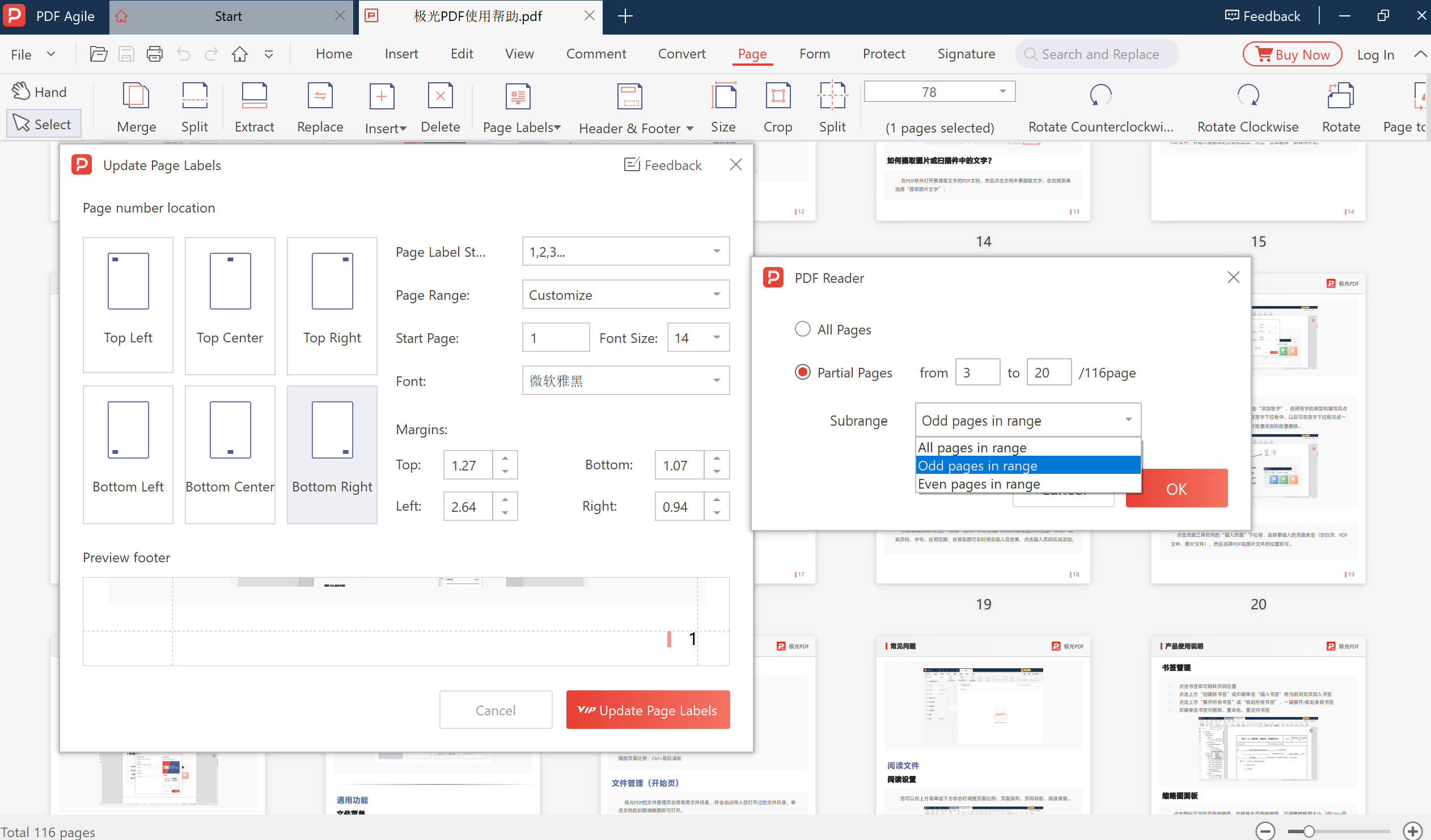
Open your PDF in PDF Agile. Set page number format, start page (e.g. page 3), headers, footers, and margins.
Click Apply and save. Your formatted PDF is ready β no watermarks, no upload, completely private.
Other tools upload your files. We don't.
Your PDFs never leave your computer. PDF Agile processes all pagination, cropping, and layout operations locally on your machine β no internet connection required for core features. Disconnect your internet and verify it yourself.
Add page numbers in any format β Arabic (1, 2, 3), dash-enclosed (- 1 -), or "Page X of Y". Set any start page (e.g. page 3 to skip the cover). Choose from 6 positions. All in PDF Agile.
Insert confidentiality labels, company names, or copyright text. Batch-remove old headers before adding new ones. All within PDF Agile β no need for separate software.
Trim excess white space for better tablet reading. Split dual-column academic papers into single-column pages. All in one desktop application, all offline.
Why professionals choose a desktop solution over browser-based tools.
| Feature | π‘οΈ PDF Agile Desktop | π Web-Based PDF Tools |
|---|---|---|
| File privacy & compliance | β
Yes 100% Secure Local | β No Cloud upload |
| Batch pagination | β
Yes One-click batch | β No Manual |
| Unlimited file size | β
Yes No limits | β No Size capped |
| Password-protected PDF | β
Yes Local decrypt | β No Cloud decrypt |
| Start page offset | β
Yes Skip covers | β Rarely Page 1 only |
| System font match | β
Yes Any font | β No Presets only |
| Margin cropping & split | β
Yes Both | β No Not available |
| No watermarks | β
Yes Clean | β Often Watermarked |
From students to lawyers β anyone who works with multi-page documents.
Universities require page numbers starting after the table of contents (typically page 3). Our tool lets you set any start page offset instantly β no more manual renumbering.
Law firms need Bates stamps for e-discovery. Add sequential Bates numbers to hundreds of pages, then strip confidential headers before sharing with opposing counsel.
Add "Confidential" headers and page numbers to board reports, financial audits, and vendor contracts. Remove old headers when documents change classification.
Explore our full suite of secure, offline PDF utilities.
Rated 4.7/5 by verified buyers β see all reviews on G2 β
The most fully-featured PDF editing and creation tool at a competitive price β Electronic Signatures, Password Protection, advanced OCR, and document converters, all within an intuitive, clutter-free UI.
Darren P.
CTO, Small Business
G2 Verified Buyer
Lightweight and a good replacement for Adobe DC. The only solution that handles all my content creation and document management needs, including PDF forms, at a fantastic price.
Moe M.
Manager, Small Business
G2 Verified Buyer
The UI is brighter than others, features are well-arranged for ease of use. The OCR and form features are unbelievable. The color scheme could be improved, but overall it's great.
Lovepreet S.
Civil Engineer, Mid-Market
G2 Verified Buyer
Two powerful advantages that set us apart
Sensitive documents (audits, contracts, rosters) need local processing. Online tools force uploads to remote serversβa security risk.
PDF Agile runs 100% locally on your Windows machine. Your private files never leave your computer or traverse the internet.
Manual page-by-page formatting wastes time and creates bottlenecks.