How to Split Two-Column PDF Pages in Half for Tablet Reading
Published on: June 9, 2026 | Category: Device Reading
Academic journals, IEEE papers, and scanned books are frequently formatted in double-column grids. While efficient for printing, reading them on Kindles, iPads, or mobile devices is highly tedious. You are forced to constantly zoom in, scroll down the left column, scroll up to the right column, and zoom out—destroying your reading flow.
Step-by-Step Guide to Split Double-Column Pages Vertically Securely Offline
Reading a two-column academic paper or scanned book on a tablet or phone is painful — constant pinch-zooming and horizontal scrolling ruin the reading experience. Splitting each wide page down the center into two portrait pages makes every document instantly mobile-friendly. Here is how to do it offline with zero quality loss.
Follow these 3 simple steps to complete your task in seconds:
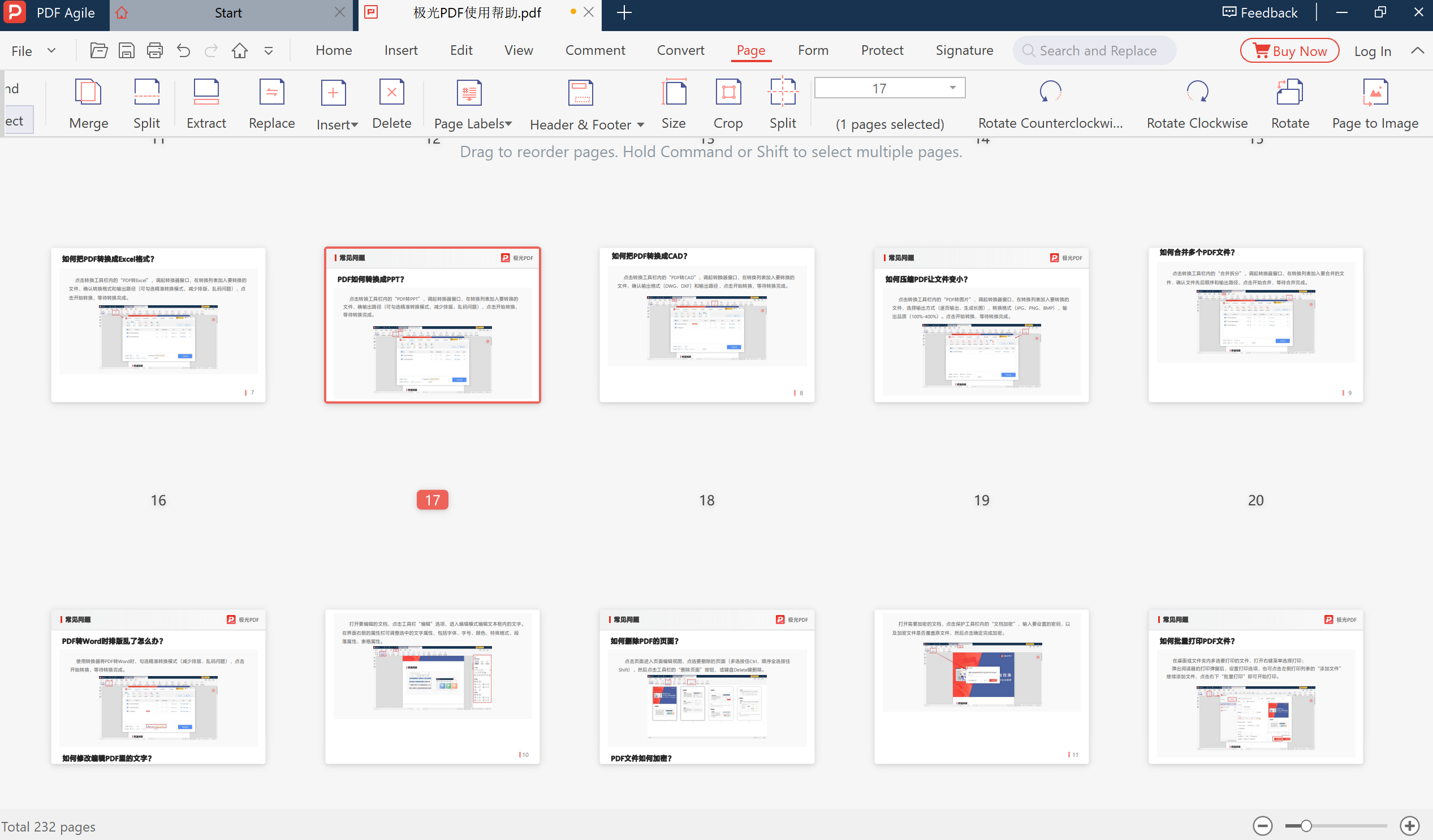
- Download & Start PDF Agile: Install the offline desktop suite PDF Agile and import your dual-column PDF document.
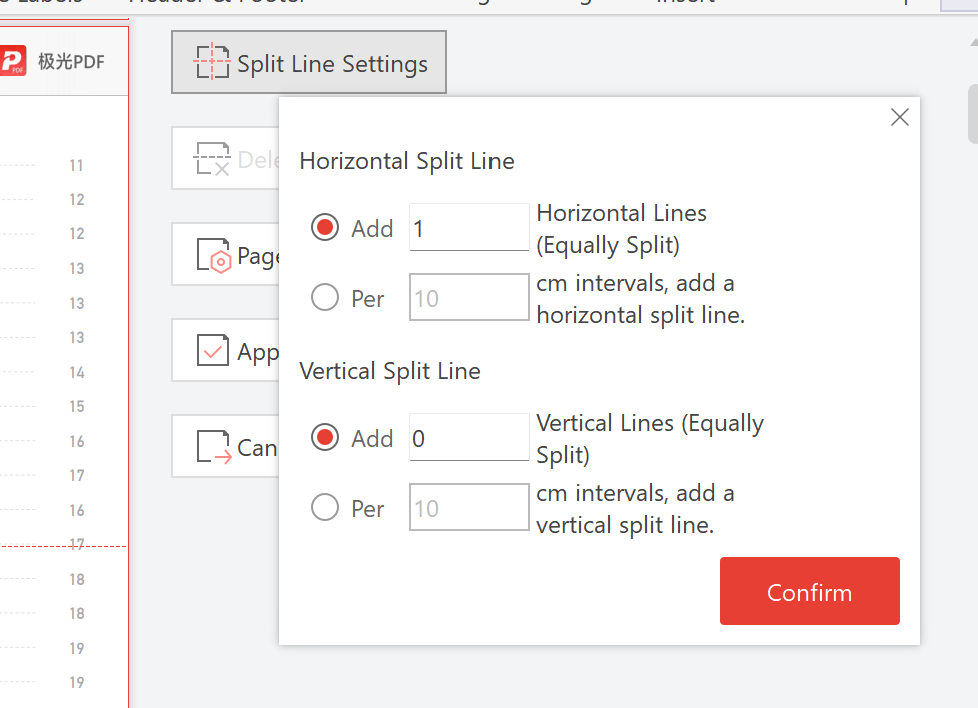
- Navigate to Split Pages: Select the Page Layout menu from the top navigation bar and select the Split Pages tool.
- Choose Vertical Split: Choose Split Vertically in Half. The visual cutter will split the page right down the middle gutter. Click Apply to instantly compile two sequential portrait pages from each landscape page.
Pro Tip: PDF Agile retains all underlying text layers, searchable metadata, and OCR indices after split, so you can still search keywords and highlight texts seamlessly on your tablet.
Need Safe Local PDF Formatting?
Download PDF Agile to batch-paginate, crop margins, insert headers/footers, and split dual-column pages with 100% offline security.
Download PDF Agile for Windows